SecurityJavaScriptUnicode
Unicode usernames without homoglyph attacks
Zod username validation for Japanese, Korean, and Cyrillic names, with homoglyph, impersonation and script-mixing checks.
Axel Isouard
· 11 min read
Zod username validation for Japanese, Korean, and Cyrillic names, with homoglyph, impersonation and script-mixing checks.
· 11 min read
I had a username validator wired up with Zod. Latin letters, digits, spaces, underscores, hyphens. Four to thirty-two characters. It looked reasonable until someone asked why 김철수 or ユーザー123 could not register.
Widening the regex to “any Unicode letter” fixes that part. It also opens a door you probably do not want open: two different strings that look identical on screen can be two different usernames in your database. Browsers learned this the hard way with internationalized domain names.
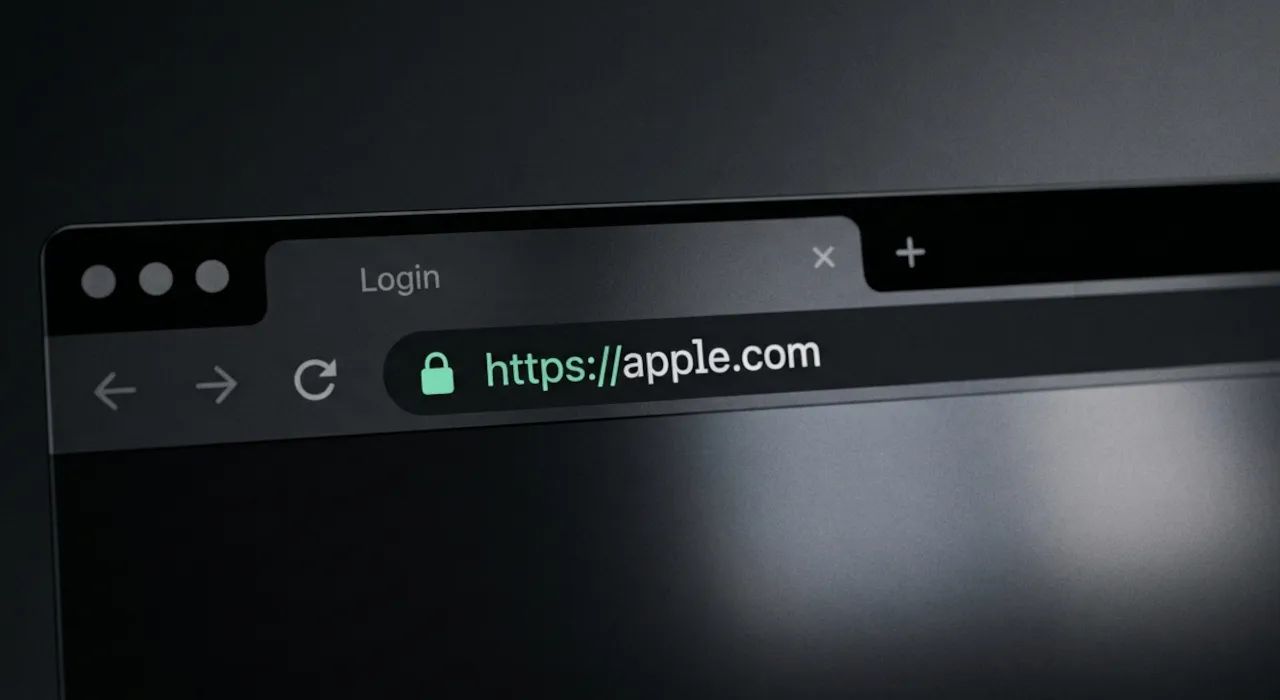
In 2017, Xudong Zheng registered аррӏе.com (Punycode xn--80ak6aa92e.com). Every letter in the label is Cyrillic. Chrome and Firefox rendered it in the address bar like the Latin apple.com, with a valid HTTPS certificate on the demo page, because the mixed-script filter never fired. Safari was not vulnerable. Google fixed Chrome in version 58; Zheng’s write-up has the full story and a proof-of-concept you can still read about.
This article walks through what actually stops that class of attack, what RFC 8266 gives you (and what it does not), which npm packages are worth your time, and the Zod schema I ended up with. The schema canonicalizes input first, validates it, and gives you a second column for uniqueness checks so Apple and аррlе cannot both exist.
Here is roughly what I started with:
import { z } from "zod/v3";

export const usernameSchema = z
  .string()
  .min(4, { message: "Username must be at least 4 characters." })
  .max(32, { message: "Username must be less than 32 characters." })
  .regex(/^[\p{Script=Latin}0-9_\- ]+$/u, {
    message:
      "Username can only contain letters, numbers, spaces, underscores, and hyphens.",
  });
That blocks Cyrillic impersonation by accident, because Cyrillic letters are not Latin. It also blocks every legitimate non-Latin name. Replacing Script=Latin with \p{L} fixes registration for Japanese, Korean, Russian, Arabic, and Vietnamese users. It does not stop someone from registering аpple (Cyrillic а plus Latin pple) or аррӏе (all Cyrillic, skeleton close enough to fool humans).
You need more than a wider character class.
RFC 8266 defines the PRECIS Nickname profile. Display names with spaces allowed. Its sibling RFC 8265 is the Username profile, which forbids spaces. Since my schema allows spaces, 8266 is the closer fit.
The Nickname rules are small:
toLowerCase() only when comparing, not when storingThere is no directionality rule for nicknames. Because the rules are not idempotent for every code point (Greek capital Upsilon with hook, ϔ, is the usual example), you reapply them until the output stabilizes. Reject the string if it has not stabilized after three extra rounds.
The sentence that matters for homoglyphs: the document does not provide more-detailed recommendations regarding the handling of visually similar characters, such as those provided in UTS #39. So “follow the RFC” means NFKC, space handling, lowercase for comparison. Confusables are a separate layer.
The аррӏе label from Zheng’s demo is U+0430 U+0440 U+0440 U+04CF U+0435. All Cyrillic. A “do not mix scripts” rule never fires on it. Even ICU’s confusable skeleton of that string is appie, not apple, because palochka (U+04CF) maps to the “i” class via dotless ı. Chrome added a dedicated rule for “every letter is a Cyrillic look-alike of Latin” rather than relying on skeleton equality alone.
I ended up with three layers:
аpple, Ωmega, Toys-Я-Us. Still allows ユーザー123, 김철수 kim, abc東京. You can implement this with \p{Script_Extensions=…} in a modern JavaScript runtime. No npm package required.skeleton(lowercase(name)) in a UNIQUE column. Whoever registers apple blocks Apple, аррlе, app1e, appIe. Needs the confusables data from Unicode.аррӏе and ѕсоре. Trade-off: it also rejects odd real words made only of look-alikes (Cyrillic Сара, Greek Αννα without tonos). Browsers accept the same trade-off for domains. You can limit the rule to Cyrillic and Greek if you want fewer false positives.Plus cheap hygiene on top: strip \p{Default_Ignorable_Code_Point} (ZWJ, ZWSP, variation selectors) before validating, because username with a hidden ZWJ is otherwise a distinct string; allow characters by property (\p{L}\p{M}\p{Nd}) rather than by listing scripts; do not mix digit systems (٣ vs 3); count code points, not .length, or 𠮷野家 reads as “4 characters” when it is three.
UTS #39 defines several restriction levels. Browsers use Highly Restrictive for domain names. The string must be single-script after ignoring Common and Inherited characters (digits, punctuation, combining marks that inherit script).
The only cross-script mixes allowed:
| Mix | Example that passes |
|---|---|
| Latin + Han + Hiragana + Katakana | ユーザー123, abc東京 |
| Latin + Han + Bopomofo | Taiwanese names with Latin and Bopomofo |
| Latin + Han + Hangul | 김철수 kim |
Everything else that mixes writing systems fails: аpple (Cyrillic + Latin), Ωmega (Greek + Latin), user٣4 (Latin digits mixed with Arabic-Indic digits in the same run).
I limited allowed scripts to UAX #31 Table 5 “Recommended Scripts” for everyday modern use. Cherokee, Mongolian, Tifinagh, and similar “Limited Use” scripts are rejected by default. Add them to the list if your audience needs them.
Store two values:
username: the canonical form you display (RFC 8266 enforcement)username_key: usernameKey(canonical) in a UNIQUE indexThe skeleton algorithm from UTS #39 section 4:
confusables.txtTwo names with the same key look alike enough to impersonate each other. Only one can exist.
Skeleton uniqueness is deliberately aggressive. Arnold and Amold collide (m and rn share a skeleton class). Oliver and 0liver collide too. That is the impersonation protection working. Decide whether you want that for every user or only when comparing against a protected name list (brands, staff accounts).
Skeletons are not stable across Unicode versions. Recompute username_key for every row when you regenerate your confusables table.
Script mixing does not catch аррӏе because every character is Cyrillic. The whole-script rule asks: if there are no Latin letters in the canonical name, does the folded skeleton look like a plain ASCII username? If yes, reject.
export function impersonatesLatin(canonical: string): boolean {
  if (HAS_LATIN_LETTER.test(canonical)) return false;
  return ASCII_NAME.test(skeleton(foldCase(canonical) ?? canonical));
}HAS_LATIN_LETTER, ASCII_NAME, and skeleton are defined in the gist. The early return for already-ASCII strings is there too.
Legitimate Cyrillic Сара skeletons to something like capa. Greek Αννα (without tonos) can fail too. Chrome makes the same call for IDN. Narrow the check to Cyrillic and Greek scripts if you need to be more lenient elsewhere.
RFC 8266 mappings run before the refine checks. Input is normalized, invisible characters dropped, spaces collapsed. .parse() returns the form you store:
const DEFAULT_IGNORABLE = /\p{Default_Ignorable_Code_Point}/gu;

export function canonicalUsername(raw: string): string {
  return raw
    .replace(DEFAULT_IGNORABLE, "")
    .normalize("NFKC")
    .replace(/\p{Zs}/gu, " ")
    .trim()
    .replace(/ {2,}/g, " ");
}
John Doe becomes John Doe. Fullwidth アップル becomes アップル. Your old rules that rejected leading, trailing, or double spaces become mappings instead of errors. Switch them back if you prefer showing the error message.
Minimum length depends on script. A three-syllable Korean name or a two-kanji Japanese name is a complete name. I use 2 code points when the string contains CJK or Hangul, 4 otherwise. Count with [...s].length, not s.length, so 𠮷 is one character, not two UTF-16 code units.
Mark abuse gets a quick check too: orphan combining marks, doubled marks, or long Zalgo-style runs. Modifier letters in the Common script that look like punctuation (ˈ, ʼ, ʻ) are rejected unless you add exceptions (Hawaiian ʻokina, Ukrainian apostrophe).
Honest state of things as of mid-2026:
| Package | Verdict |
|---|---|
precis-js | Implements RFC 7564 (pre-2017 draft). Nickname, OpaqueString, Username profiles. Last release 2015. |
unicode-confusables, @ensdomains/unicode-confusables | Bundle Unicode 10.0 data from 2017. Skeleton skips NFD steps and only drops six hand-listed zero-width characters. Not spec-exact. |
ICU uspoof (PyICU, com.ibm.icu.text.SpoofChecker) | Reference implementation. What Chrome uses. Not in Node. |
tr46, punycode | IDNA processing. Wrong tool for display names. |
validator | No Unicode awareness. |
You do not need a library for the PRECIS Nickname part. normalize("NFKC") plus regex covers it. For confusables, I generate the mapping table from the current confusables.txt on unicode.org (Unicode 17 at time of writing) with a short build script. Thirty lines. Re-run when you bump Unicode versions.
The well-maintained PRECIS reference is Python’s precis_i18n if you want to cross-check behavior in another language.
Input flows through canonicalization, then validation. Lookup paths (login, @mentions, profile URLs) run the same two steps on whatever the user typed.
The comparison key is a skeleton over a folded case string:
export function skeleton(s: string): string {
  let out = "";
  for (const ch of s.normalize("NFD").replace(DEFAULT_IGNORABLE, "")) {
    out += CONFUSABLES[ch] ?? ch;
  }
  return out.normalize("NFD");
}

export function usernameKey(canonical: string): string {
  return skeleton(foldCase(canonical) ?? canonical);
}
foldCase repeats toLowerCase() plus NFKC until stable (RFC 8266 is not idempotent on every code point). The Zod side is one transform and a pipe:
export const usernameSchema = z.string().transform(canonicalUsername).pipe(rules);rules is a chain of .refine() checks: allowed character class, CJK-aware min length, script mixing, digit systems, whole-script look-alikes, mark abuse. Usage:
const username = usernameSchema.parse(input);
const key = usernameKey(username);
username goes in users.username. key goes in users.username_key behind a UNIQUE index.
The long part is isHighlyRestrictive and the UAX #31 script tables. I cross-checked the script-mixing logic against ICU’s spoof checker on about thirty samples (Japanese with ー, Korean with Hanja, Bopomofo, Arabic digits, Greek/Latin mixes). They agree on everything except Cherokee, which I exclude on purpose. Type-checks under strict. About 0.1 ms per parse on my machine.
Full username.ts, build-confusables.mjs, and the confusables generator are in this gist.
build-confusables.mjs fetches the current confusables.txt from unicode.org and writes confusables.ts. Run it once, or again when you bump Unicode versions:
node build-confusables.mjsThen recompute every stored username_key in your database. The parser and URL logic are in the gist.
RFC 8266 Nickname is not RFC 8265 Username. If you forbid spaces, 8265 is the profile to read. The space mappings above would not apply.
If usernames end up in URLs or sit next to other text, look at RFC 5893 Bidi rules for Arabic and Hebrew names. The script-mixing check already prevents some of the worst mixed-direction cases.
Skeleton collisions between unrelated real names (Arnold / Amold) are a product decision, not a bug. Tune aggression with your support team’s tolerance for “that username is taken” on visually similar spellings.
UTS #39 Highly Restrictive is the browser bar. It is not the only bar. A social network might accept more mixing for artistic display names and keep stricter rules only on the handle used for @mentions. Same code, different profiles.
If you are shipping international usernames today:
username_key column with a UNIQUE index next to username.node build-confusables.mjs and commit confusables.ts.usernameSchema.parse() then usernameKey().Latin-only regex was the easy part. The hard part is deciding which strings count as “the same name” when they look alike but encode differently. RFC 8266 handles equivalence. UTS #39 handles look-alikes. You need both.
Share article